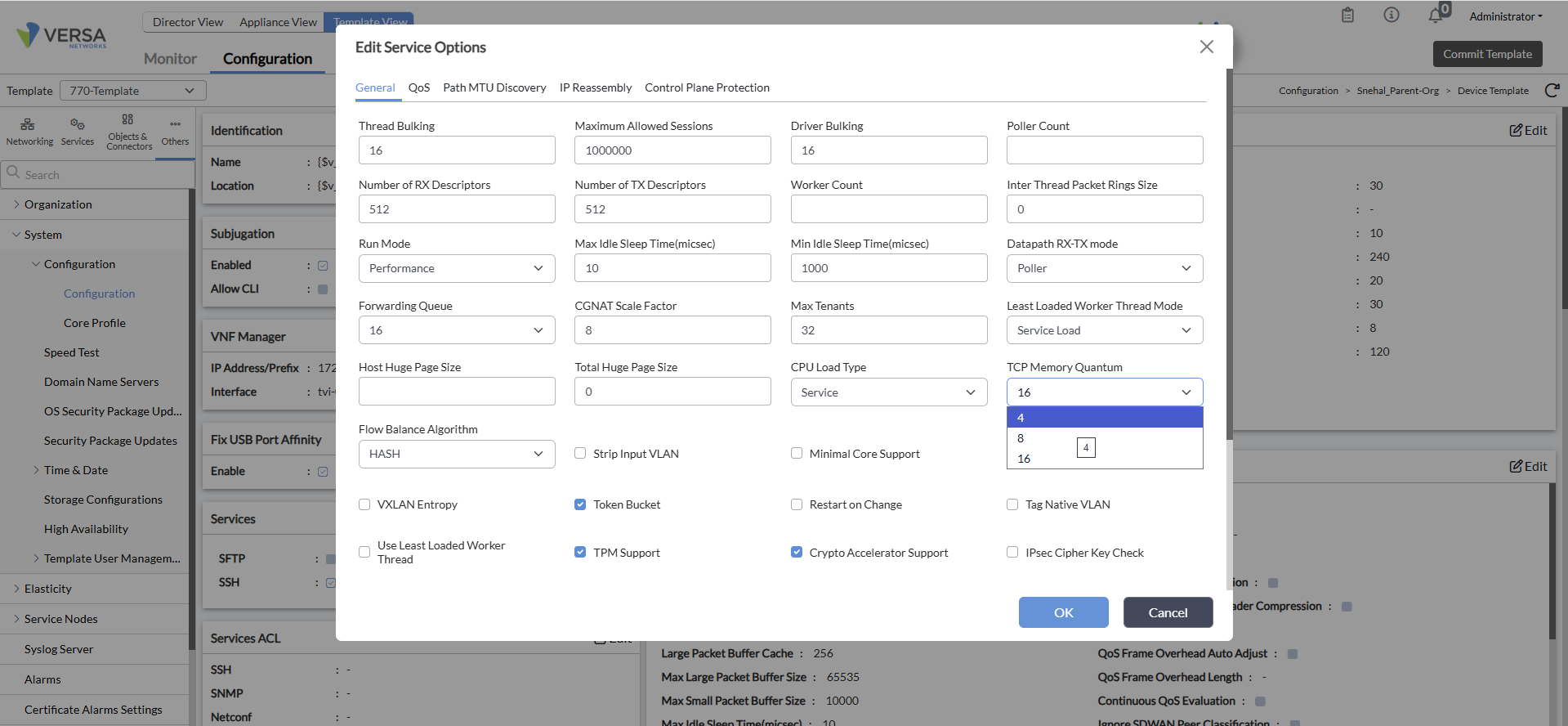
While using DNS proxy for TCP-based DNS there are upper limits to the number of concurrent/parallel sessions induced by two factors
The tcp-memory-quantum value
The max-large-packet-buffers (mbuf)
By default the tcp-memory-quantum is set to 16 and the default max-large-packet-buffers is 65535
Maximum parallel sessions = max-large-packet-buffers/tcp-memory-quantum = 65535/16 = 4095
Consider a case where there are 500 DNS requests per second (tcp-based) being initiated in the presence of DNS proxy, you are likely to exhaust the above limit within 8 seconds post which new sessions would not be initiated until some of the old session are cleared (dns-proxy sessions have 4 second time-out value)
If one deems that the volume of dns-proxy sessions at a site is likely to be high enough to breach the above volume of max parallel sessions, one should consider modifying the default values of tcp-memory-quantum and max-large-packet-buffers
For starters the tcp-memory-quantum value can be changed to 4 using the below cli configuration
VOS1(config)# set system service-options tcp-memory-quantum 4
VOS1(config)# commit
The other option is to set tcp-memory-quantum on the Director Cli in the device template context as below and then commit the template to the respective device
Just the above configuration will effectively increase the volume of concurrent sessions to 16K (65535/4) - this should ideally be sufficient for most use cases
After making this configuration change, a "vsh restart" is required for the new value to be applied.
However, if you deem the volume of concurrent tcp-based dns-proxy sessions in your environment may be higher than 16K, you can look to increase the packet buffer (mbuf) using the below context to change its default-value of 65535 via cli/config-mode
VOS1(config)#set system service-options max-large-packet-buffers <max-possible-value>
VOS1(config)#commit
This configuration can also be executed on Director UI under Device template in the below context (system>configuration>service-options) - this the preferred method of executing this configuration change
NOTE: You will need to execute a "vsh restart" post the above configuration change, for the modified value to take effect
However, one has to be cautious while setting the max-possible-value in the above context - it depends on the memory (RAM) on the device, so in that sense it depends on the Device/Hardware model - you can figure out the RAM memory on your system using "show system details"
Important Note: Be extremely careful while setting this value and make sure you abide by the values mentioned in the table below with reference to the RAM on the device in question. Setting a value higher than the below values can lead to the system going into a crash loop in some scenarios. For ex, if your system has 16GB RAM, you should not set the max-large-packet-buffers to a value higher than 131071
For example
Setting the max-large-packet-buffers, to the values mentioned in the table, in conjunction with tcp-memory-quantum can further increase the volume of concurrent dns-proxy sessions.
Error logs you would see in versa-service.log
versa-service.log:2026-03-17 12:19:26.065 ERROR [0x103] vs_tcp_enter_mem_pressure:229 Entering mem pressure 88 at 499933046 ms, alloced 217920
versa-service.log:2026-03-17 12:21:13.304 ERROR [0x107] vs_tcp_leave_mem_pressure:248 Leaving memory pressure 88 at 500040285 ms, duration 499540352 seconds, alloced 186768
versa-service.log:2026-03-17 12:25:53.090 ERROR [0x10e] vs_tcp_enter_mem_pressure:229 Entering mem pressure 89 at 500320071 ms, alloced 217920
versa-service.log:2026-03-17 12:26:47.080 ERROR [0x10a] vs_tcp_leave_mem_pressure:248 Leaving memory pressure 89 at 500374059 ms, duration 499873739 seconds, alloced 186768
P.S: Same solution is to be applied when you see above error logs when SSL/TCP/DNS proxy are applied and slowness/disconnections are observed.