
For small form factor appliances (e.g., 4-Core / 8-GB models) running the Premium SPACK with Next-Generation Firewall (NGFW) and Unified Threat Management (UTM) features enabled—such as Antivirus (AV), Intrusion Prevention System (IPS), and URL Filtering (URLF)—we highly recommend the following configuration to optimize memory:
- Enable urlf cloud Lookup
Disable the URL Category Database.
Please note below PR is an enhancement to optimize memory consumption on such low end devices where it becomes critical to save memory during high usage
Bug-ID: 122880
Description: Optimize the memory utilization for URL-db when premium spack is installed.
Fix-Release: 22.1.4 build on or after 20250815
Spack release: Premium spack 2266 or later.
1) Please make sure to set URL-Filtering cloudlookup.
2) Please disable, SPack "URL Category Database"
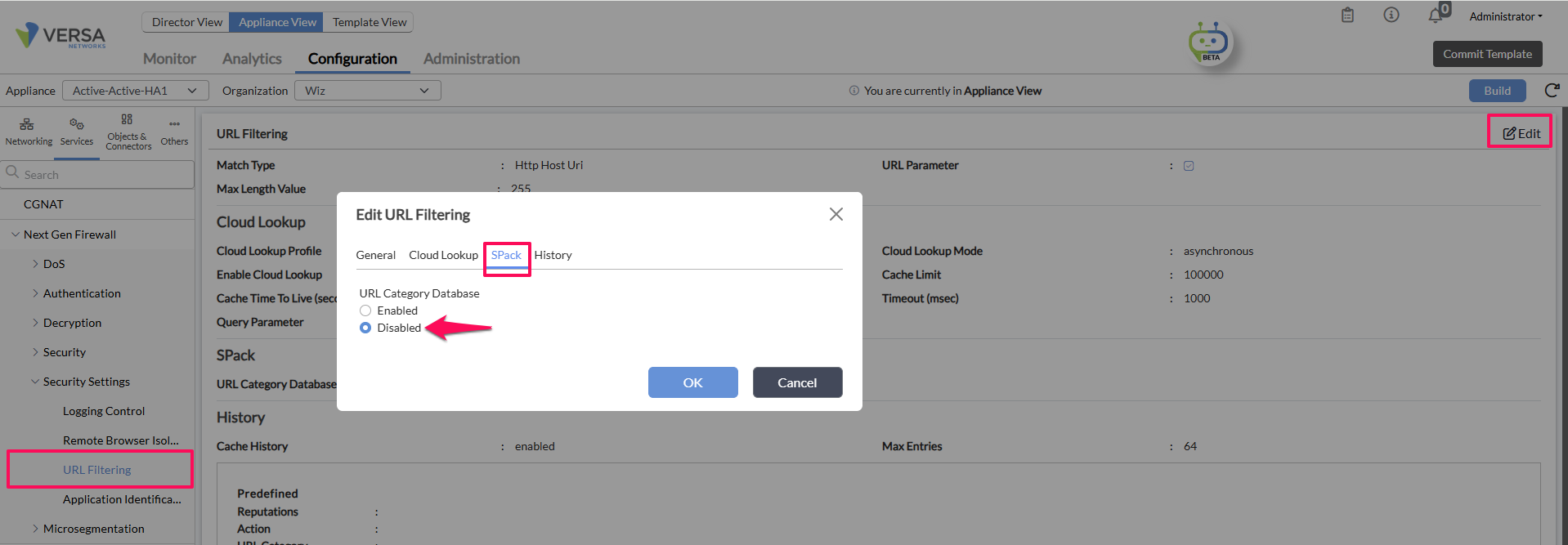
FAQ's:
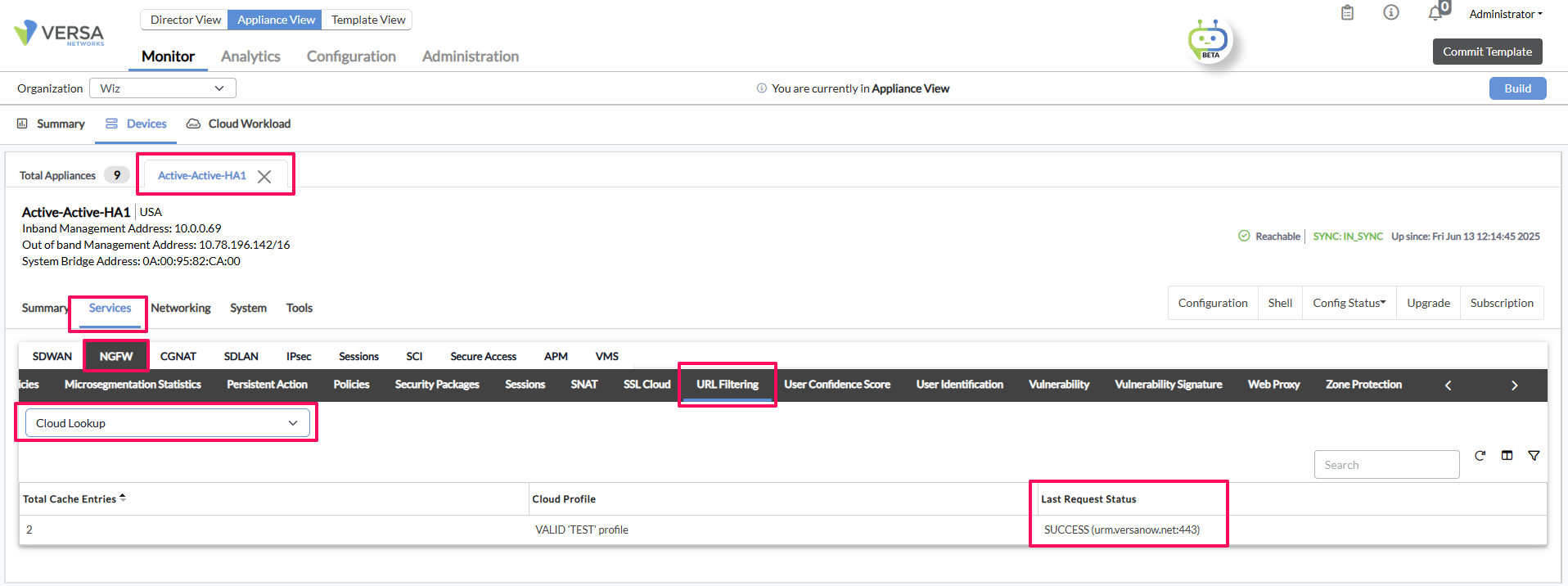
1) How to confirm if Cloud lookup is functional or not?
Please check if the Cloudlookup status is SUCCESS or FAILED.
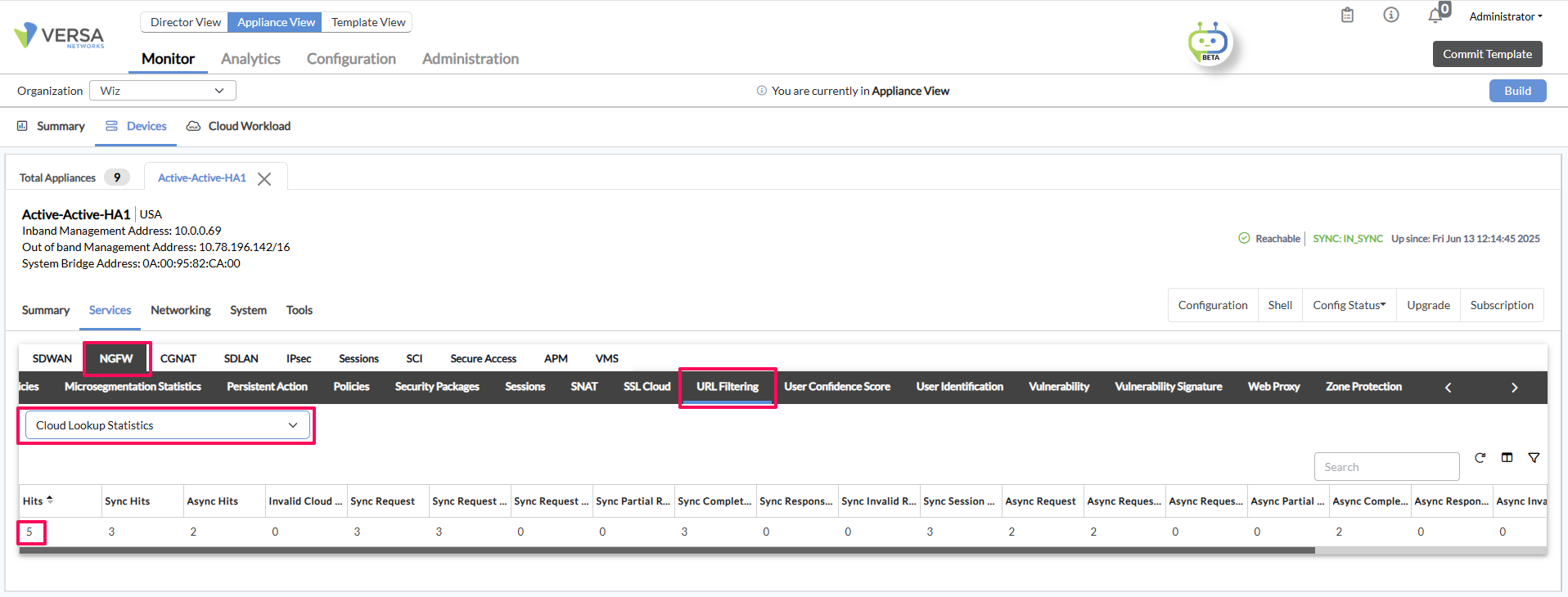
2) How do I check for hit counts in the URLF-Cloud lookup when my website transits VERSA?
> Please check the "Cloud Lookup Statistics" to see the hit counts increment both in Synchronous and Asynchronous cloud lookup mode.
Please write us back on support@versa-networks.com if you have any questions or concerns.