
Error: Unable to login to analytics cluster VAN-Cluster with any of the ip(s)[10.70.75.3, 10.70.75.4]. This could be due to central-auth not configured properly
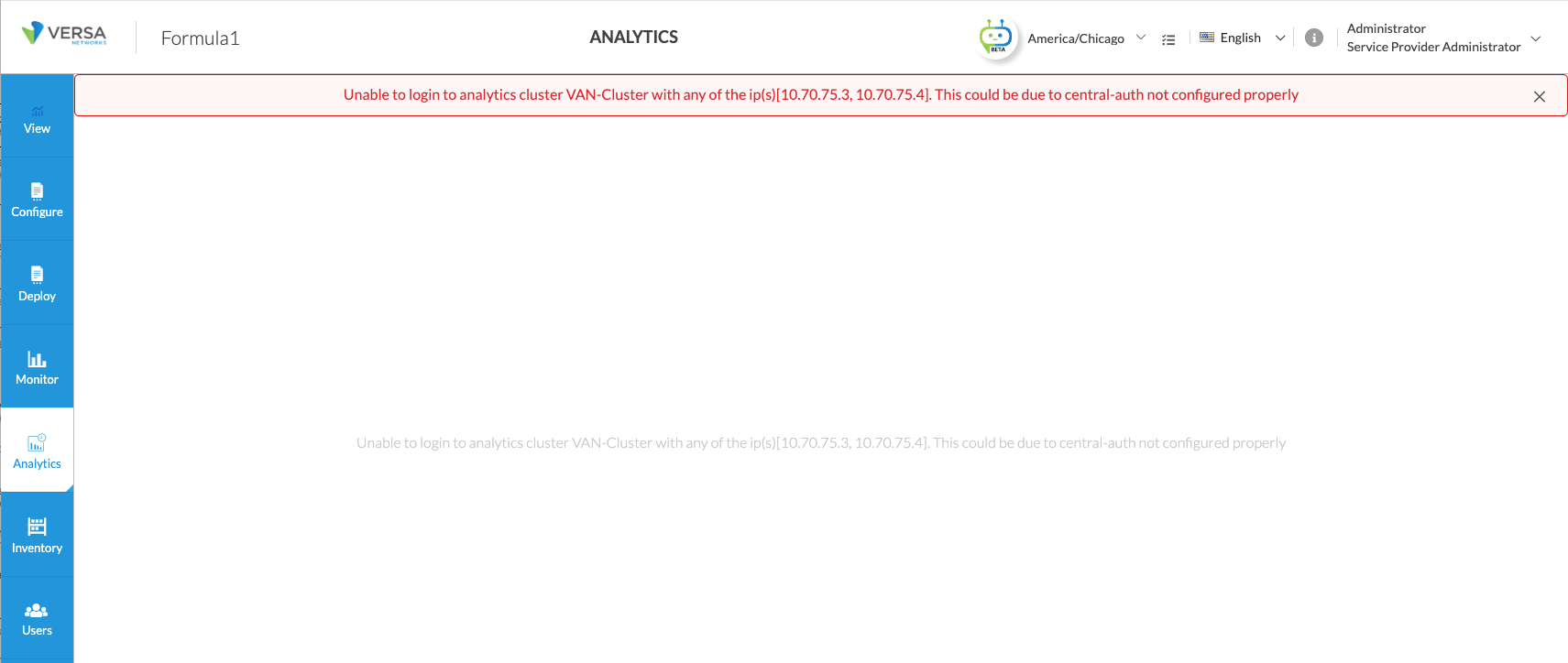
Steps to Verify:
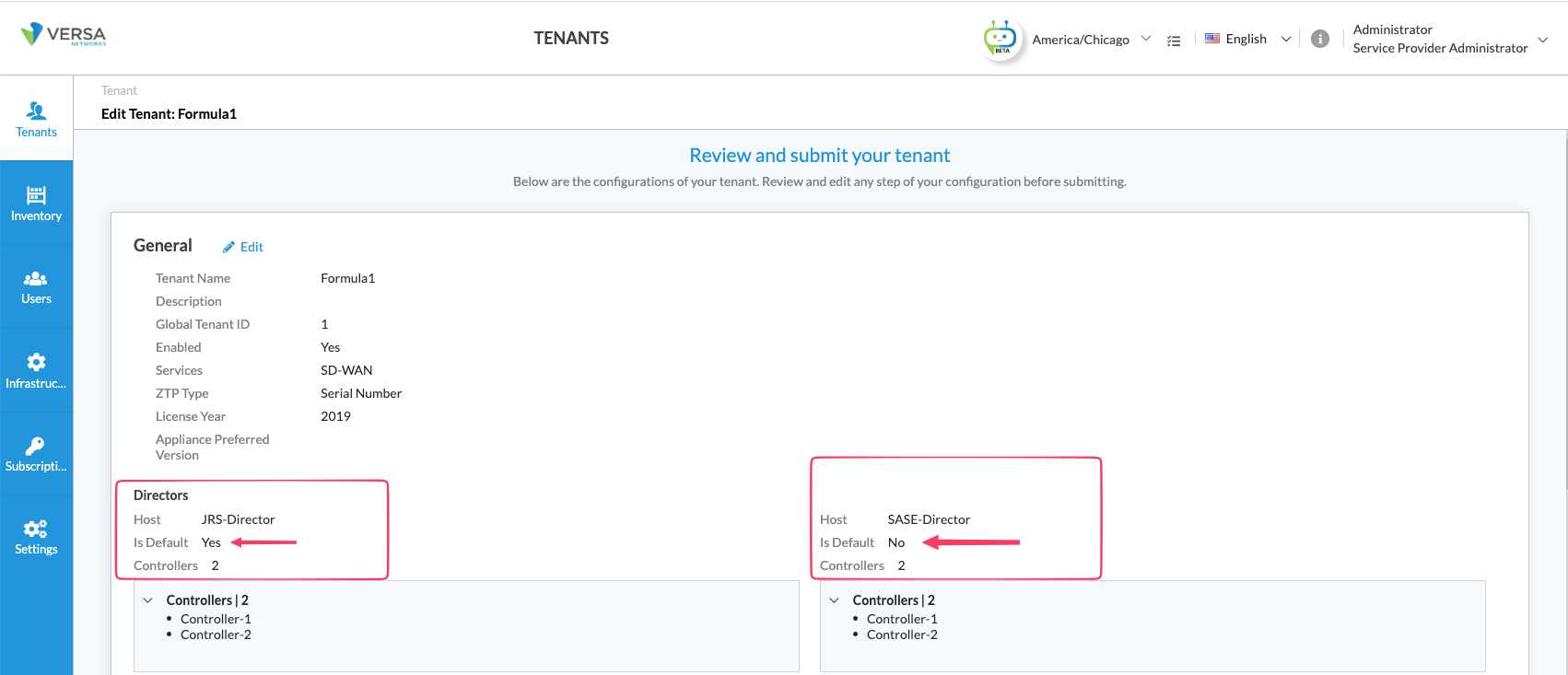
1) Identify the default director for the tenant.
2) Analytics cluster reachable from the Concerto
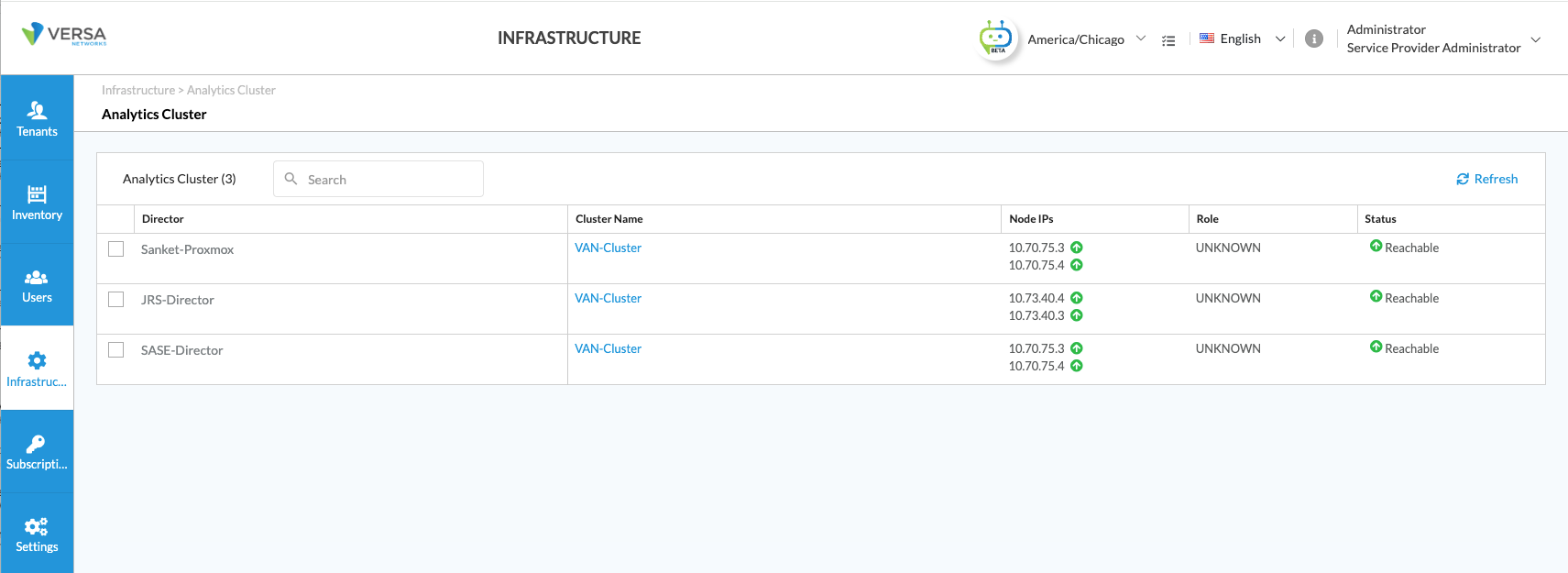
If the analytics cluster is not reachable, then try to check below. If there are any failures, then check the network connectivity and if there is any firewall blocking the connectivity.
admin@versa-ecp:~$ nc -vz 10.70.75.3 8443
admin@versa-ecp:~$ nc -vz 10.70.75.4 8443
admin@versa-ecp:~$ ping 10.70.75.3
admin@versa-ecp:~$ ping 10.70.75.4
3) Check if Central-Auth is configured on the non-default directors. If not then create a Central-Auth with Default Authentication Connector.
In the Screenshot below: 10.73.40.1 and 10.73.40.2 are the Primary and Secondary IP addresses of the Default Director.
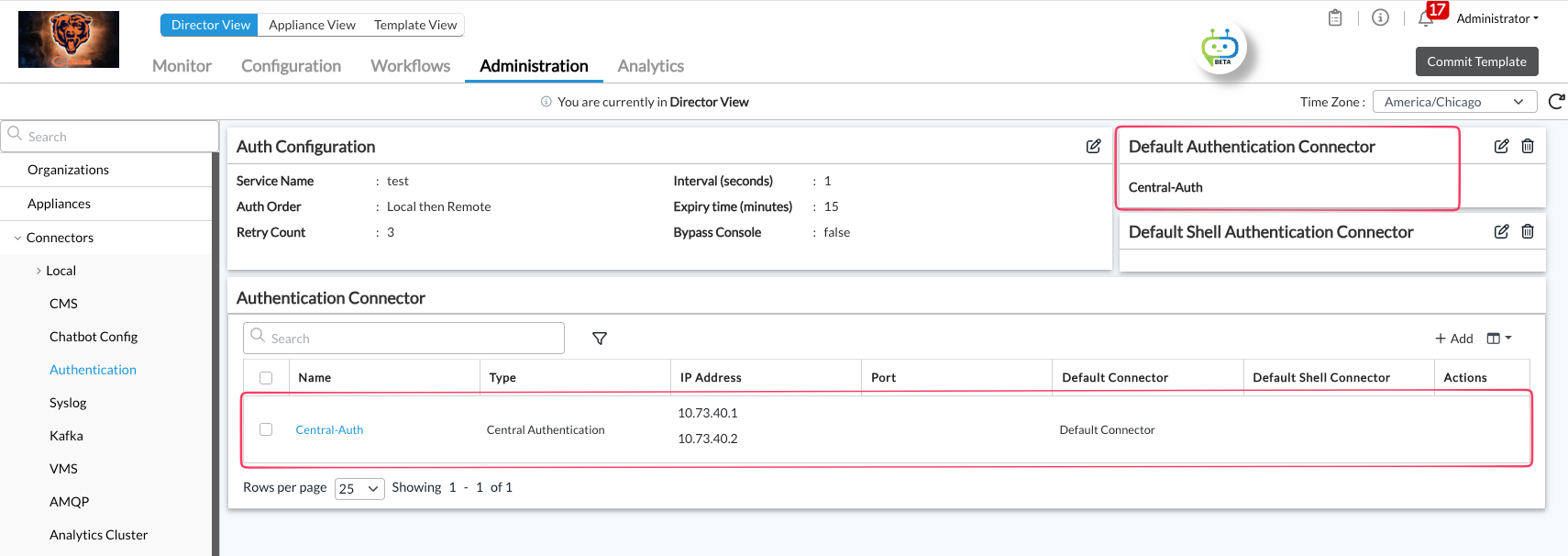
4) Verify, central auth is configured under Administrator > Organization > <Org-In-Q>
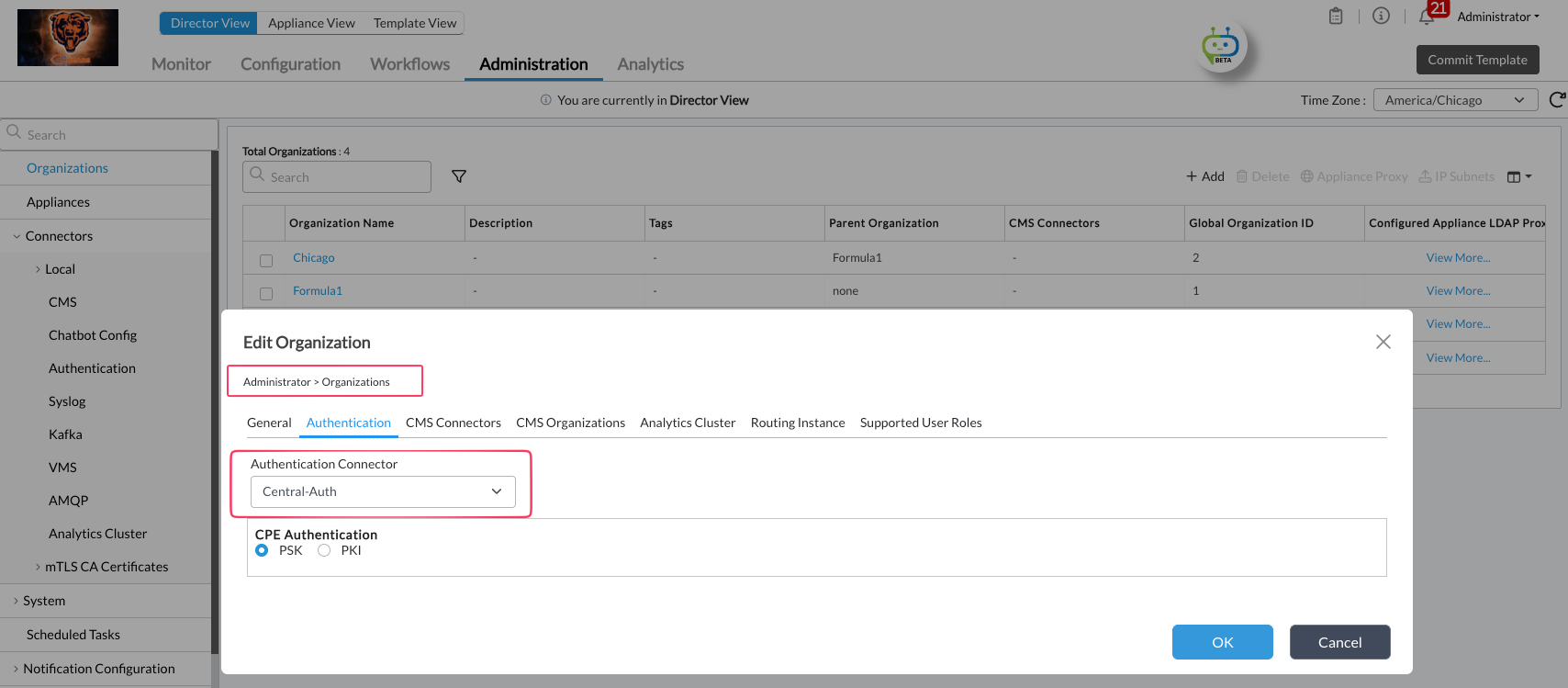
5) Once all the above is verified and configured, logout and login back to the concerto. Verify if the analytics cluster is accessible for the Non-Default director node.
Note:
Bug: 118175 and 148953
Description: Central-Auth: Central auth connection request going to the secondary director
Workaround: Remove the secondary director node IP from the Central-Auth connection. Verify the auth-token request from Non-Default director is going to the Default Primary Director and getting 200 response.
Logs to reference when tshooting on the director.
vnms-central-auth.log
access_log.log
vnms-spring-boot.log
admin@JRS-VD-Active:.../vnms/spring-boot$ grep -ai "Central-Auth url" vnms-central-auth.log
[27-May-2026 19:35:09.851][versa-director,b08b0ad9026a4449a67c98b58834acb6,9d03a95773150400][INFO][http-nio-9183-exec-48][com.versa.vnms.cdbadaptor.util.CentralAuthHttpUtils] Central-Auth url https://10.73.40.1:9183/auth/token response-status 401
[27-May-2026 19:35:13.469][versa-director,7e3ecd2009d1febd04e499e98f7d35c8,d01757de71eaaca8][INFO][http-nio-9183-exec-46][com.versa.vnms.cdbadaptor.util.CentralAuthHttpUtils] Central-Auth url https://10.73.40.1:9183/auth/token response-status 401
[27-May-2026 19:35:16.101][versa-director,7e3ecd2009d1febd04e499e98f7d35c8,d01757de71eaaca8][INFO][http-nio-9183-exec-47][com.versa.vnms.cdbadaptor.util.CentralAuthHttpUtils] Central-Auth url https://10.73.40.1:9183/auth/token response-status 401
[27-May-2026 19:38:40.555][versa-director,8f08a6e231892b88b585d90b124c8545,ca3f793560c21793][INFO][http-nio-9183-exec-51][com.versa.vnms.cdbadaptor.util.CentralAuthHttpUtils] Central-Auth url https://10.73.40.1:9183/auth/token response-status 401
[27-May-2026 19:38:42.654][versa-director,8f08a6e231892b88b585d90b124c8545,ca3f793560c21793][INFO][http-nio-9183-exec-52][com.versa.vnms.cdbadaptor.util.CentralAuthHttpUtils] Central-Auth url https://10.73.40.1:9183/auth/token response-status 401
[27-May-2026 19:38:48.227][versa-director,8f08a6e231892b88b585d90b124c8545,ca3f793560c21793][INFO][http-nio-9183-exec-59][com.versa.vnms.cdbadaptor.util.CentralAuthHttpUtils] Central-Auth url https://10.73.40.1:9183/auth/token response-status 401
If you observe any response status other than 200, please identify the Director node from the output above and review the access_log.log on that Director to verify whether it is returning the expected response.
Additionally, confirm whether the responding Director is the Primary or Secondary node.
If the requests are being directed to the Secondary Director and it is returning errors, temporarily remove the Secondary Director IP from the Central-Auth configuration. This will redirect the auth-token requests to the Primary Director node for validation and help isolate the issue.