The latest R7515-V2800 firmware's verified by Versa. (as of 05/26/26)
| Firmware | Latest Version verified |
| iDRAC | 7.30.10.50 |
| BIOS | 2.23.1 |
| IDM (Versa customized) | 0010608_CustBSU.pm |
iDRAC Version: 7.30.10.50
filename: iDRAC-with-Lifecycle-Controller_Firmware_924YT_WN64_7.30.10.50_A00.EXE
https://www.dell.com/support/product-details/en-us/product/poweredge-r7515/drivers
BIOS Version: 2.23.1
filename: BIOS_0D4N7_WN64_2.23.1.EXE
https://www.dell.com/support/product-details/en-us/product/poweredge-r7515/drivers
R7515-V2800 ID Module (For customized DMI product name R7515-V2800 and BIOS settings)
filename: 0010608_CustBSU.pm
https://versanetworks.box.com/s/g2t8k959sqzn7s5omjujfxo3iat1q7kq
Please follow the Dell firmware update guides from Dell tech support site to update Dell firmware, BIOS/iDRAC via iDRAC Web GUI.
System may need to be power cycled or rebooted for the new firmware to take effect.
Versa services may be interrupted temporarily.
Quick reference ONLY:
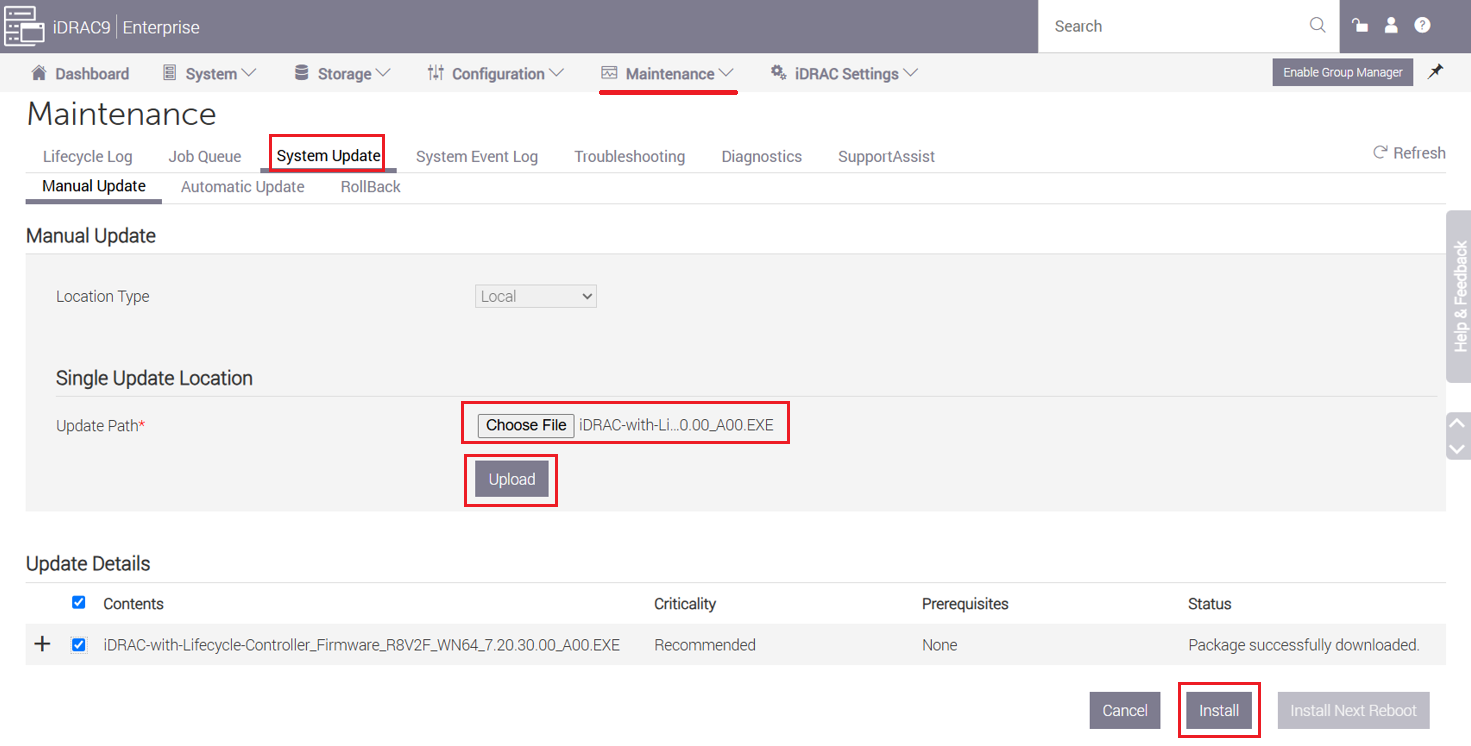
- Go to Dell iDRAC > Maintenance > System Update >
- Choose and upload iDRAC/BIOS/ firmware file (.exe)
- Select "Install" to begin the firm
- Follow on-screen instructions if any.
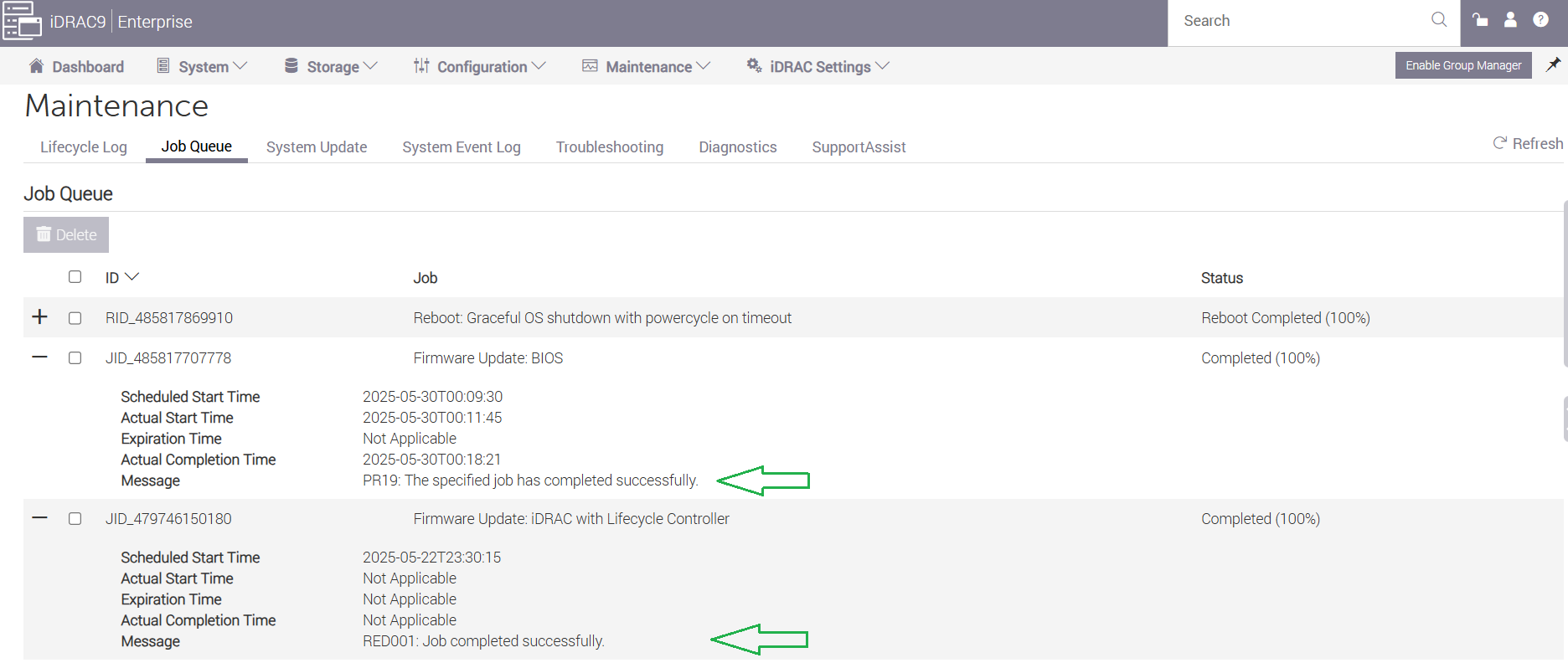
Firmware update status can be monitored and confirmed under Job Queue.
iDRAC > Maintenance > Job Queue